Open an extracted archive
Choose a folder containing your media and JSON files. Keep extracted archive parts together to find matches within the same Google Photos album path.
Bring dates, locations and captions from your Takeout JSON back into photo and video copies. Review every match before your next move.
macOS 14+ · On-device processing · Originals stay untouched
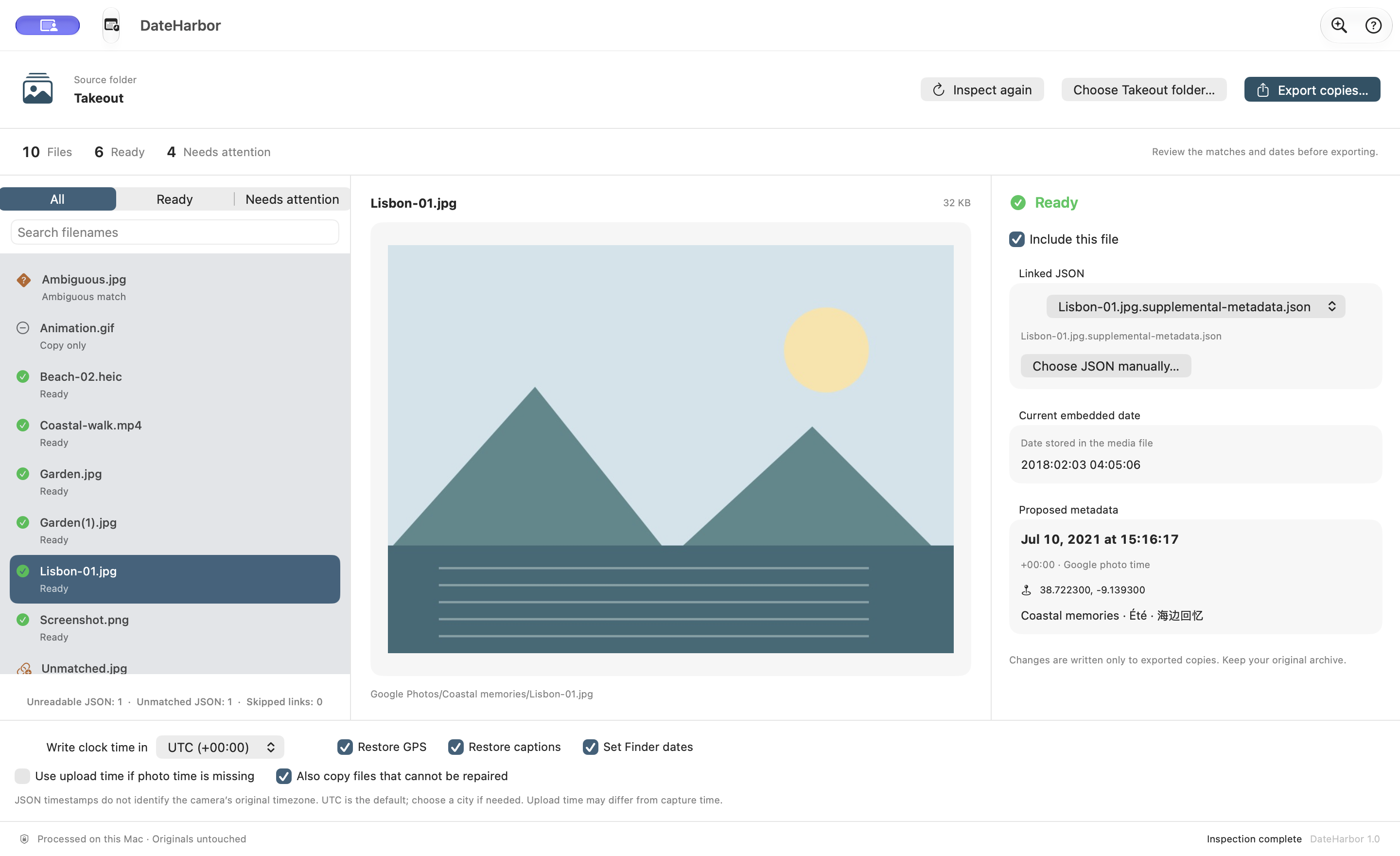
15:16:17 UTC · Lisbon, Portugal
Original camera metadata often survives a Takeout export. DateHarbor is for missing dates, edits saved in JSON, and archives you want to prepare for another library.
Choose a folder containing your media and JSON files. Keep extracted archive parts together to find matches within the same Google Photos album path.
Compare embedded dates with JSON dates. Choose a sidecar for ambiguous matches, select a timezone, and decide whether to write GPS and captions.
Photos are copied without image re-encoding; video uses passthrough export. Written dates and selected fields are read back before a result is marked restored. Every file appears in a CSV report.
Run a free filename-and-date check in your browser. Only JSON text is read; photos and videos are never opened or uploaded. Select an extracted folder, not a ZIP.
Local check · no account · no upload
A potential match is not a repair guarantee. The native app also checks media readability and verifies writes. Browser limits: 100,000 media files, 500,000 files total, 2 MB per JSON. The app copies photos over 200 MB unchanged.
A one-time purchase. No subscription, account or in-app purchase. Apple sets local currency prices and availability.
Preparing for App Store review
English · Deutsch · Français · Español · Italiano · Português · Português (Brasil) · Nederlands · Polski · Svenska · Dansk · Norsk bokmål · Suomi · Čeština · 简体中文
Ask a questionNo. Google says original embedded metadata is normally preserved, while additional information can live in JSON sidecars. Filesystem dates can also differ from embedded capture dates. Inspect your archive first. Google export guidance
DateHarbor marks the match for review. You choose the JSON explicitly. It does not guess from a partial filename or silently use upload time as capture time. A manual JSON chooser is also available.
The app includes a generated example with six ready-to-repair files and four cases to review. No personal photos are included. The free browser check above can help you inspect your own archive before buying.
Email verneauorane104@gmail.com. Include your macOS version, app version, file format and a description of the problem. You do not need to send your photos or complete archive.